 EnglishFlow AI
Learn English from Netflix, YouTube and any website
Click any word in subtitles or on a web page and see its meaning in your language, hear how it's said, and save it for a quick daily review. Translate into 95+ languages.
Everything you need to learn English from real content
Movies, series, YouTube videos and articles are the best English lessons. EnglishFlow AI makes every word in them clickable.
One click, instant meaning
No copying, no new tabs. Click a word and the meaning appears right there.
95+ languages
Arabic, Spanish, Chinese, Hindi, Urdu, Turkish, Russian, Portuguese and many more.
Hear it said right
Native-like pronunciation for every word and line.
Save words with context
Keep the sentence, a picture and a video clip so the word sticks.
Remember with science
Spaced repetition brings words back at the right time.
Free to start
Add it to Chrome and start in seconds. No credit card.
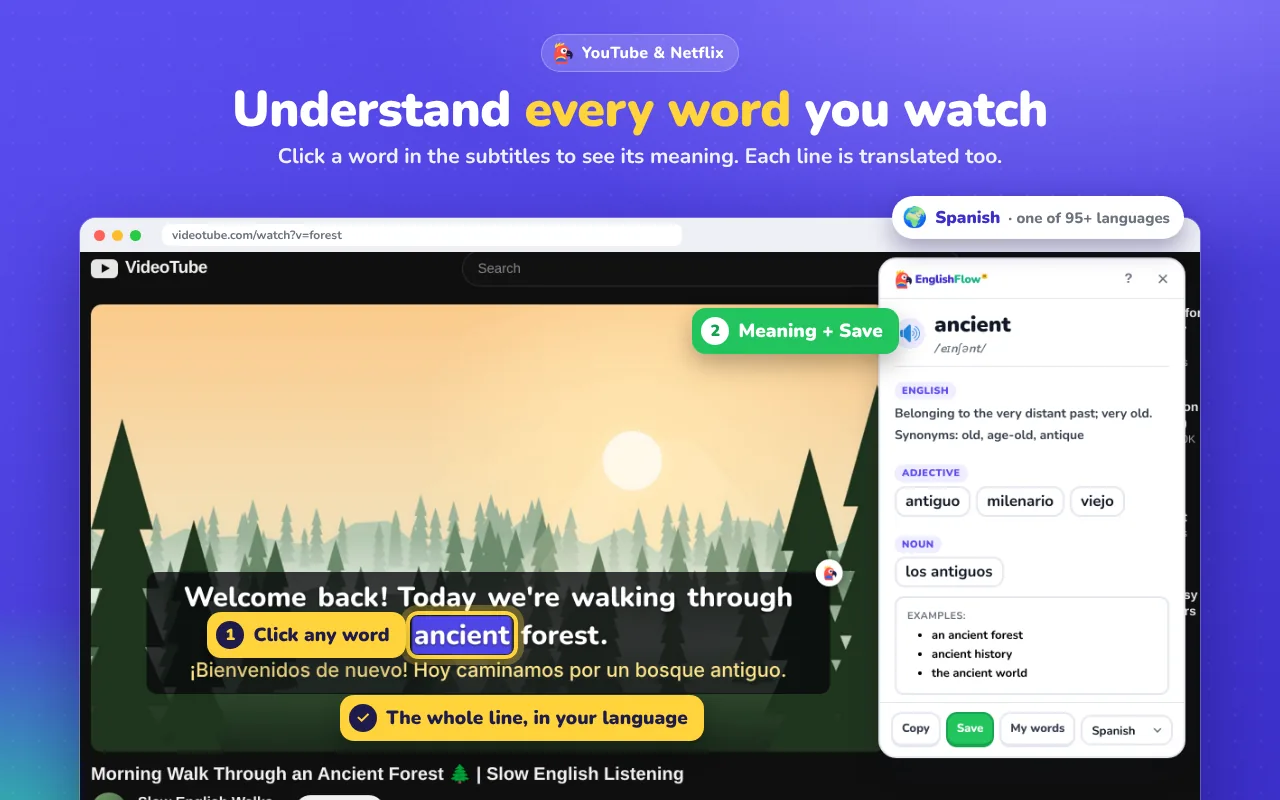
Click any word in Netflix & YouTube subtitles
Hover the subtitles and the video pauses. Click a word to see its meaning, pronunciation and examples, then close the box and keep watching.
- Dual subtitles: a translated line under every English line
- Works with Netflix and YouTube, including auto-generated captions
- Full transcript you can scroll and replay
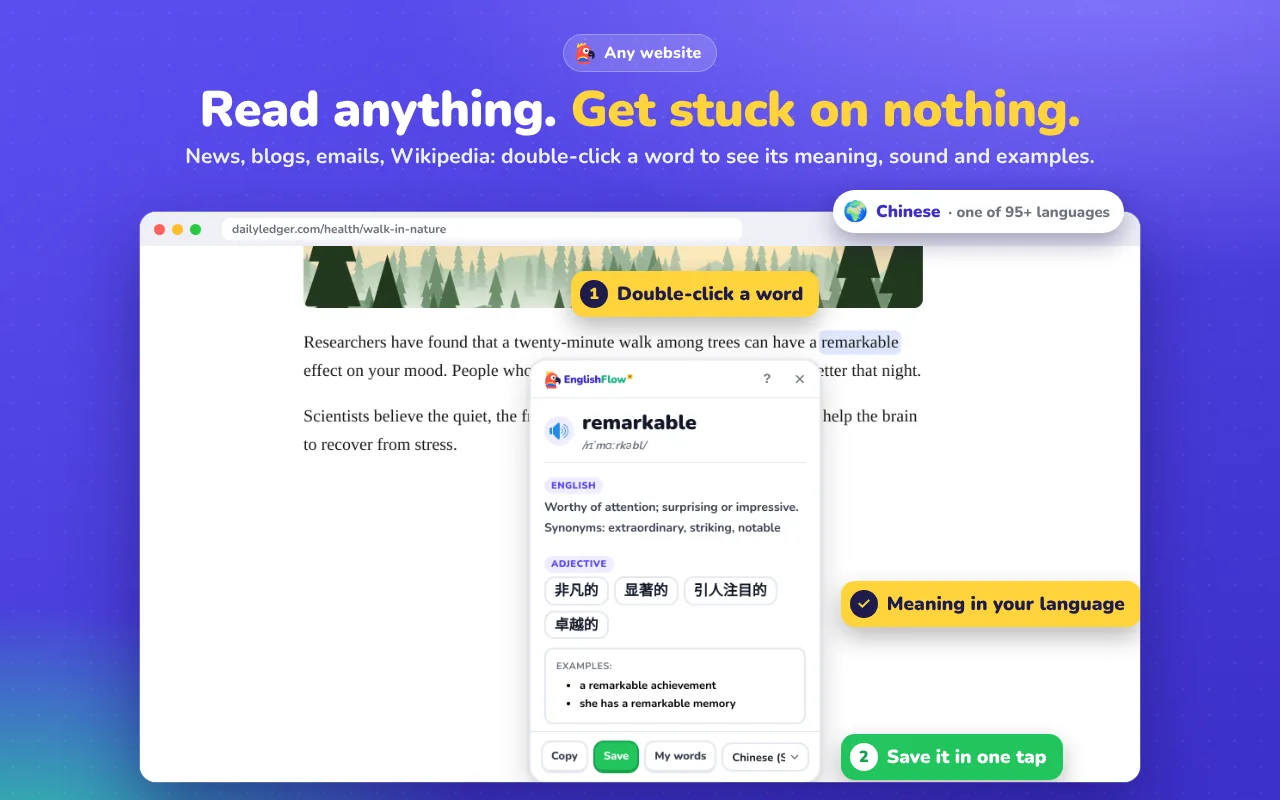
Translate words on any website
Double-click any English word on news, blogs, Wikipedia or your online course and get an instant translation in your language.
- English meaning, synonyms and real example sentences
- Hear the pronunciation with one click
- Press Esc to close
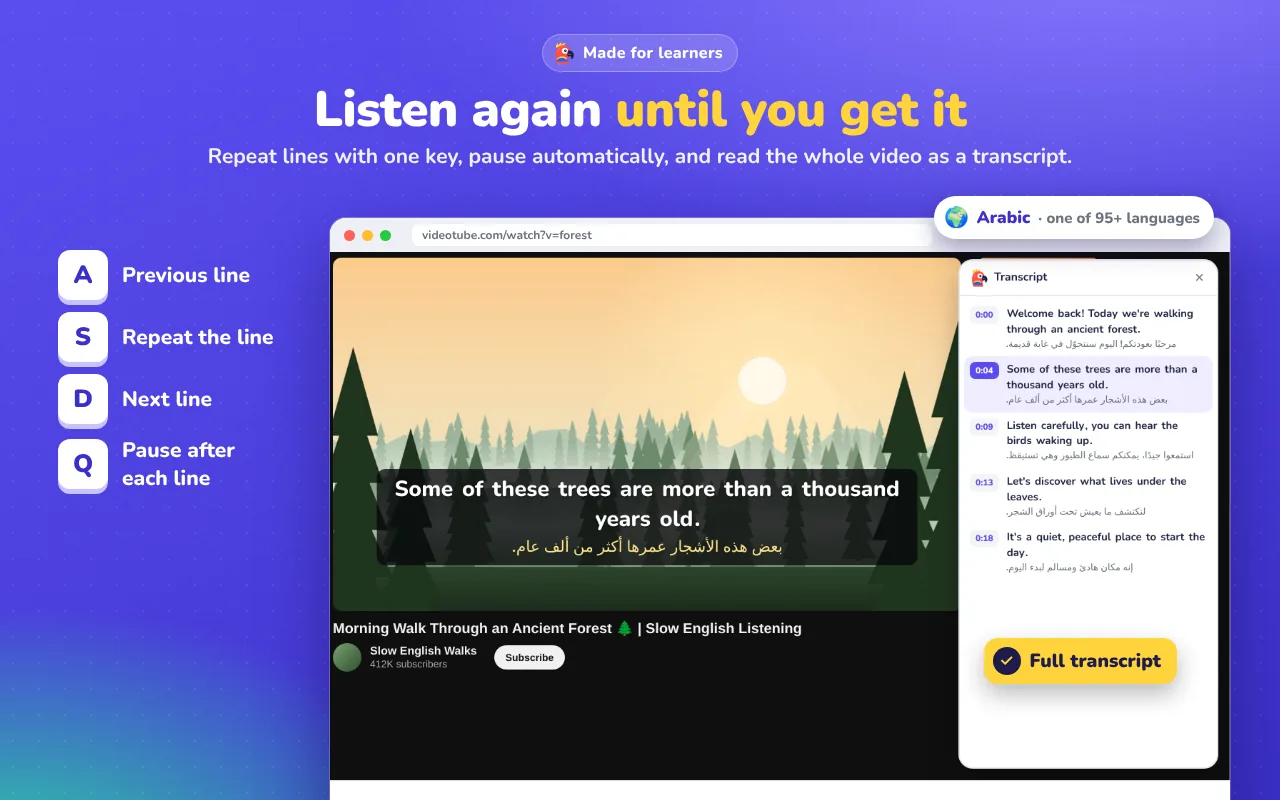
Repeat a line until you get it
Replay any subtitle line, slow it down and read along with the full transcript. Perfect for listening practice.
- Replay the current line
- Follow the transcript in sync with the video
- Jump to any line
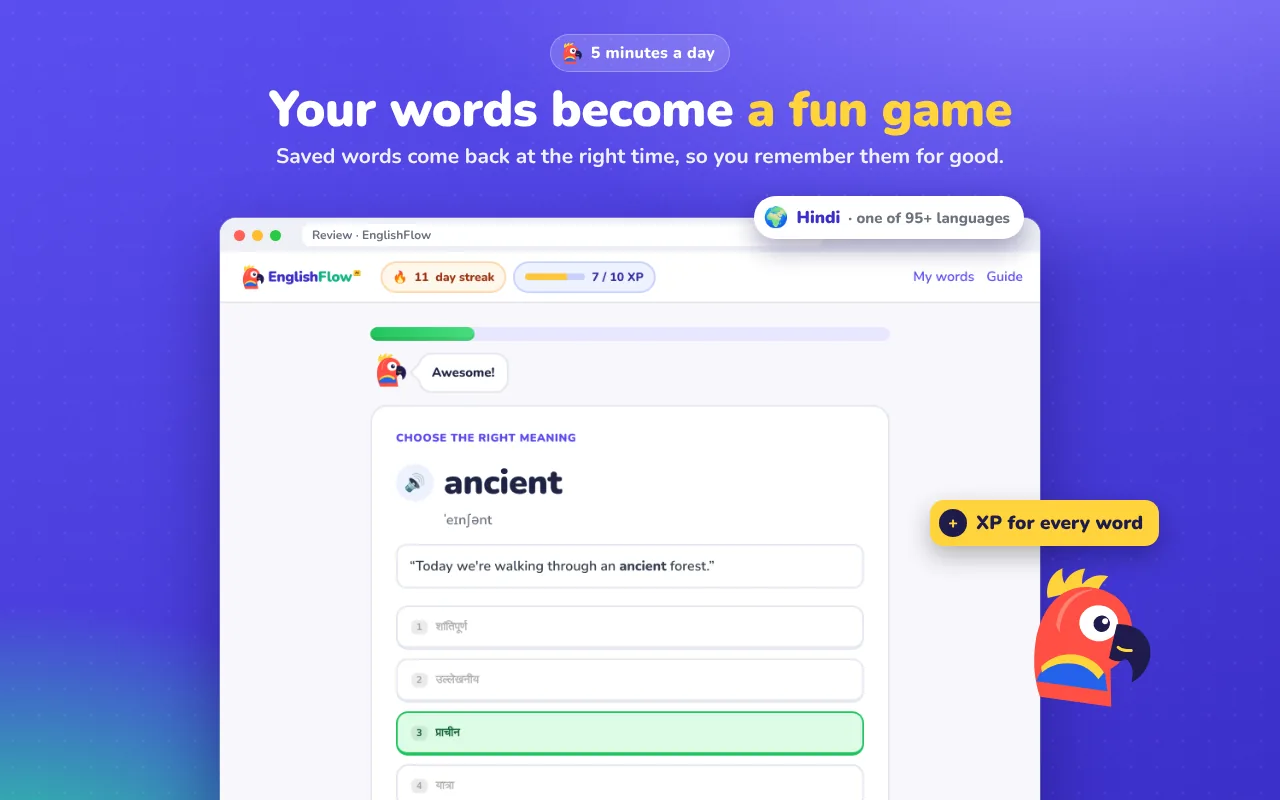
Review with spaced repetition
Every word you save comes back as quick flashcards and quizzes right before you'd forget it, with the sentence where you found it.
- Flashcards and quick quizzes
- Saved with context, pictures and video clips
- Five minutes a day
Build a daily habit
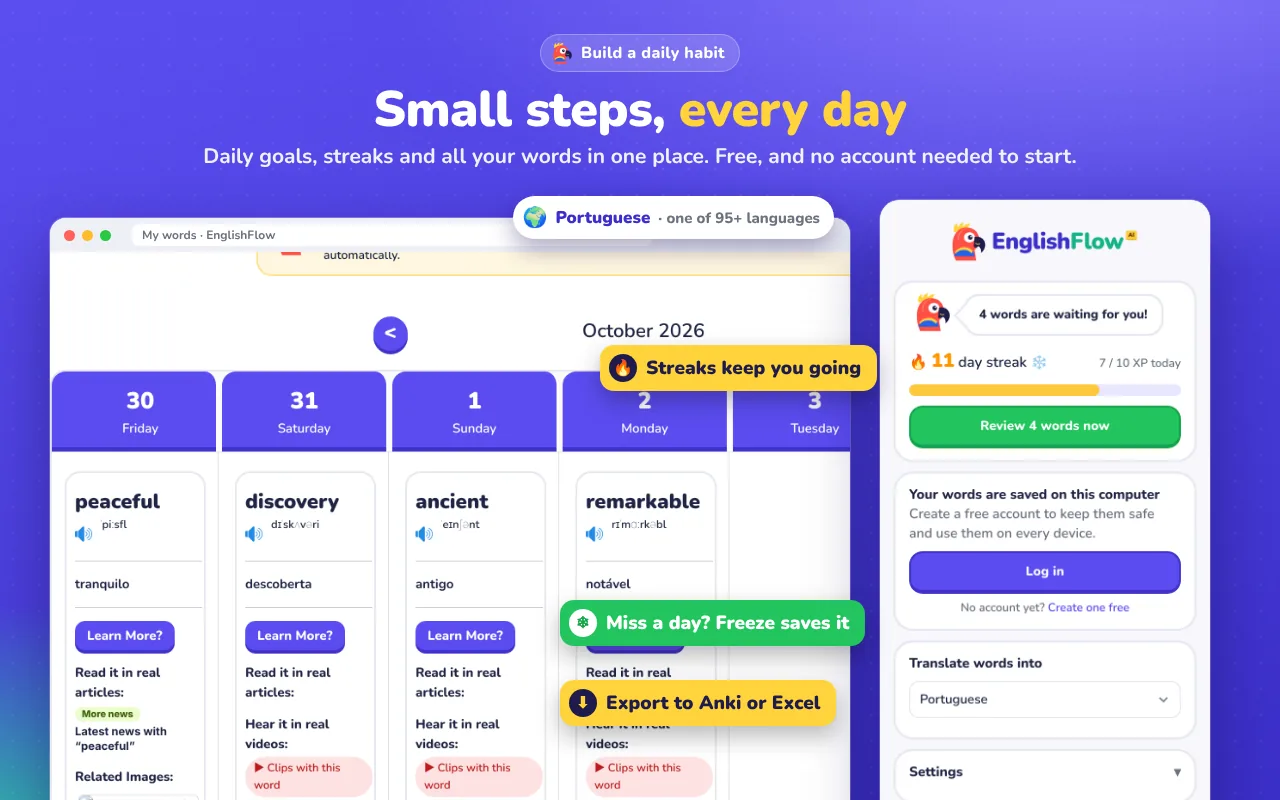
A daily goal and a streak keep you going, and the toolbar icon shows how many words are ready to review.
- Daily goal and streak
- Progress you can see
- Gentle reminders, no pressure
See it in 40 seconds
Click a word, understand it, save it, and review it later.
How to start
- Add EnglishFlow AI to Chrome
It takes a few seconds and it's free. - Choose your language
Pick from 95+ languages on the welcome page. - Watch or read in English
Turn on English subtitles on Netflix or YouTube, or open any article. - Click words, review daily
Save the words you don't know and review them for 5 minutes a day.
Translate English into 95+ languages
See meanings in your own language. Here are some of them:
Learn English the way that works
Research on language learning keeps pointing to the same thing: we learn words best when we meet them in context, again and again, in things we actually want to watch or read. Word lists and grammar drills feel productive, but the words rarely stick.
EnglishFlow AI turns the content you already enjoy into a lesson. When you watch a Netflix series with English subtitles or a YouTube video, every word becomes clickable. You see the meaning in your language and in simple English, hear the pronunciation, and save the word together with the sentence where you found it. Then a short daily review using spaced repetition brings each word back right before you'd forget it.
Read more: how to learn English with Netflix, dual subtitles on YouTube and translating words on any website.
Frequently asked questions
Is EnglishFlow AI free?
Yes. You can add it to Chrome and start translating words, using dual subtitles and saving words for free.
Does it work on Netflix and YouTube?
Yes. Turn on English subtitles, hover the subtitles and the video pauses. Click any word to see its meaning in your language, then keep watching.
Which languages can I translate into?
More than 95, including Arabic, Spanish, French, Chinese, Hindi, Urdu, Turkish, Russian, Portuguese, Persian and Indonesian.
Does it work on other websites?
Yes. Double-click any English word on news sites, blogs, Wikipedia, online courses and almost any other website.
How does the daily review work?
Words you save come back as short flashcards and quizzes using spaced repetition, right before you would forget them. Five minutes a day is enough.
Which browsers are supported?
Google Chrome and other Chromium browsers that install extensions from the Chrome Web Store, such as Microsoft Edge and Brave, on Windows, macOS, Linux and ChromeOS.
Is my data private?
Words you look up are sent to a translation service to get the result. Your saved words are only stored if you create an account. See the privacy page for details.
Start learning English from what you love
Free to start. Works on Netflix, YouTube and any website.
Add to Chrome, it's free